Paint data into a picture.
A piculum is a picture file that also carries data. You paint which pixels hold it. The picture displays anywhere a picture displays. The data comes out only in piculum software, with the password.
One record, start to finish
1. Someone paints the fields.
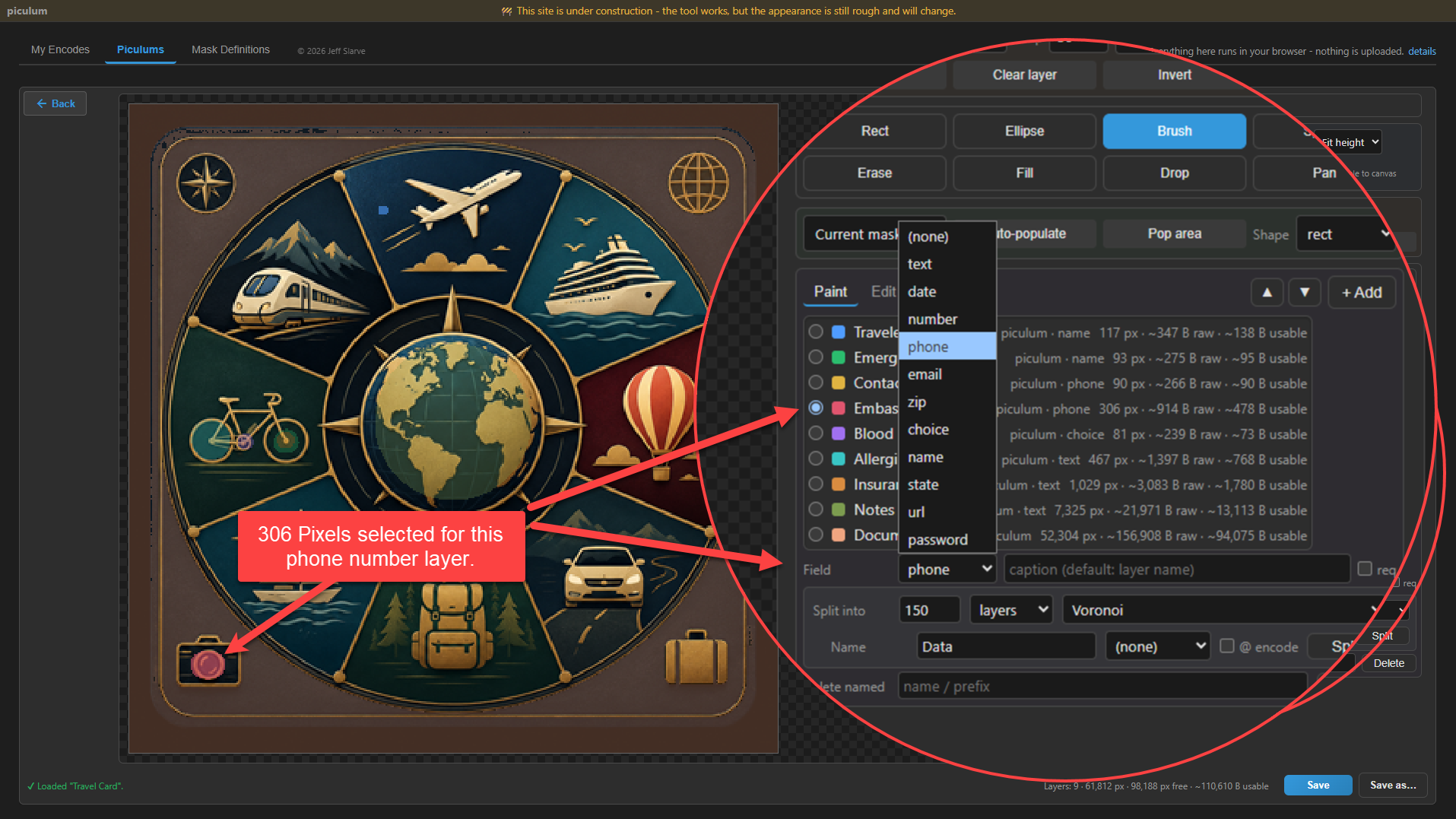
This is the Travel Card, one of the starter templates that come with the workbench. Each colored region is a field: traveler, emergency contact, two phone numbers, blood type, allergies, insurance, notes. The person who painted it chose where each field sits and what type it is, and the workbench told them how many bytes each region can hold.
2. Someone else fills it in.
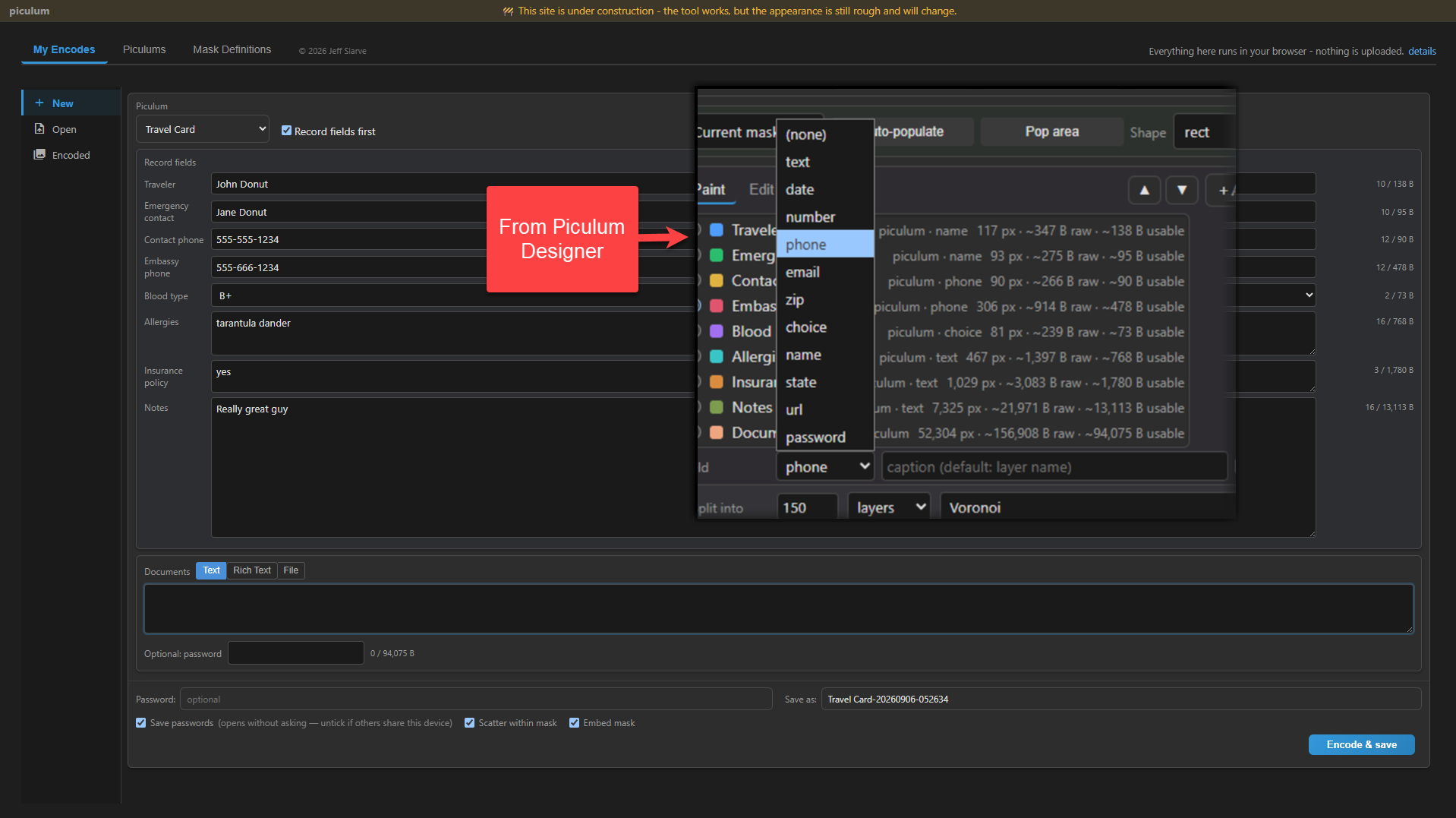
They never see the painting. They open the Travel Card and get a form. The phone fields are phone fields. Blood type is a dropdown. They type, set a password, and press Encode.
3. Out comes a PNG.
The result is an ordinary picture file. It opens in any image viewer, attaches to any email, sits in any photo library, prints. It looks like the Travel Card. It is the record.
4. Open it with the password.
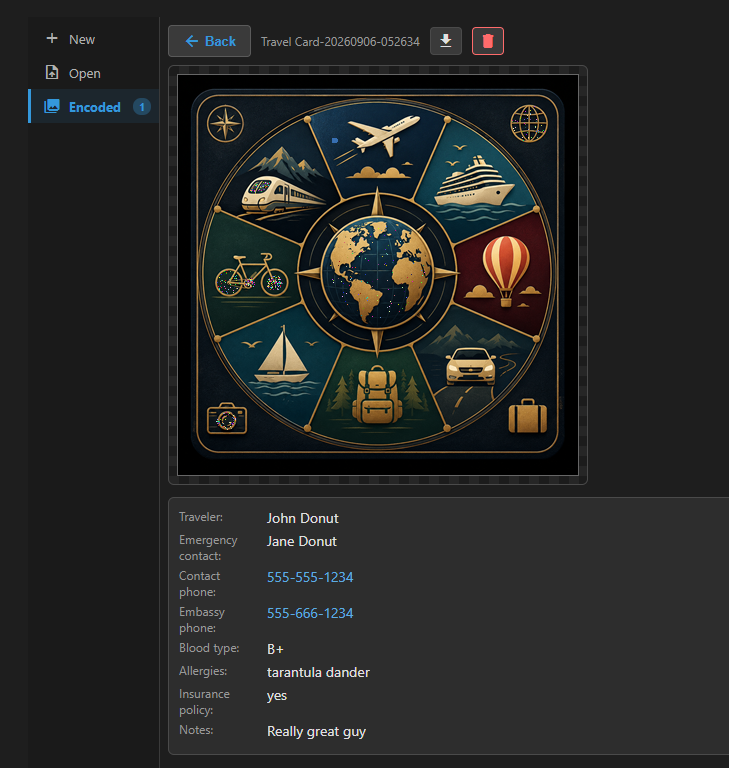
Every field comes back under its caption, in piculum software, on any machine. The phone numbers are links. Nothing to parse, nothing to interpret.
5. Try the wrong password.
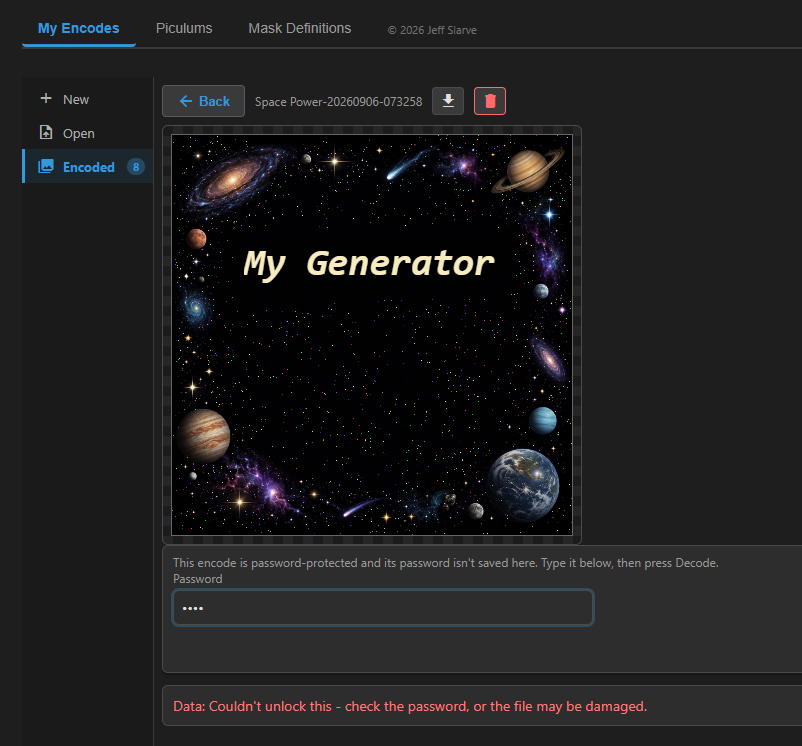
The picture still displays. The data does not open. There is no partial result and no garbled text, only a refusal.
That is the whole thing. Design once, fill many times, read anywhere.
What you might use it for
- An emergency-info card. Name, date of birth, allergies, medications, a contact. One per family member, on each phone, opened with the family password.
- Business paperwork. A registration form, a warranty claim, an inspection record. You design it, customers or field staff fill it, and what comes back is structured every time.
- A license badge. Each sale fills the form and issues a small image the customer keeps. An edited or forged badge fails at your decode instead of decoding to something plausible.
- A publisher with tiers. Regions can carry their own passwords. The free password opens the hint; the subscriber password opens the solution. Opening one region tells you nothing about the others.
What you should know
It is a tool, not a service. Nothing here needs a server. The workbench encodes and decodes in your browser, with no account and nothing sent anywhere. The same codec runs in Node, so if you do have a server, a pipeline, or a batch job, it does the work there just as well. Where the records live is your decision.
The seal is real. Each field is encrypted with AES-256-GCM under a key stretched from your password, using the browser's built-in WebCrypto. It is the same lock the rest of the internet uses, on purpose.
Three more things it does
Fields are optional.
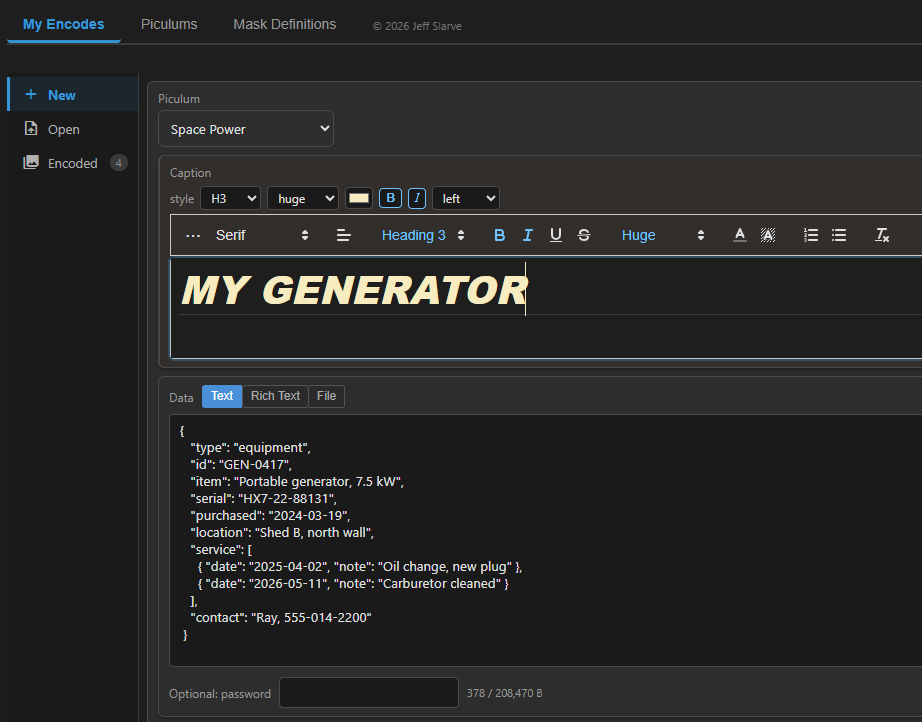
Paint one region and type into it: a message, a file, a whole JSON document. No schema, just a marked place for the content.
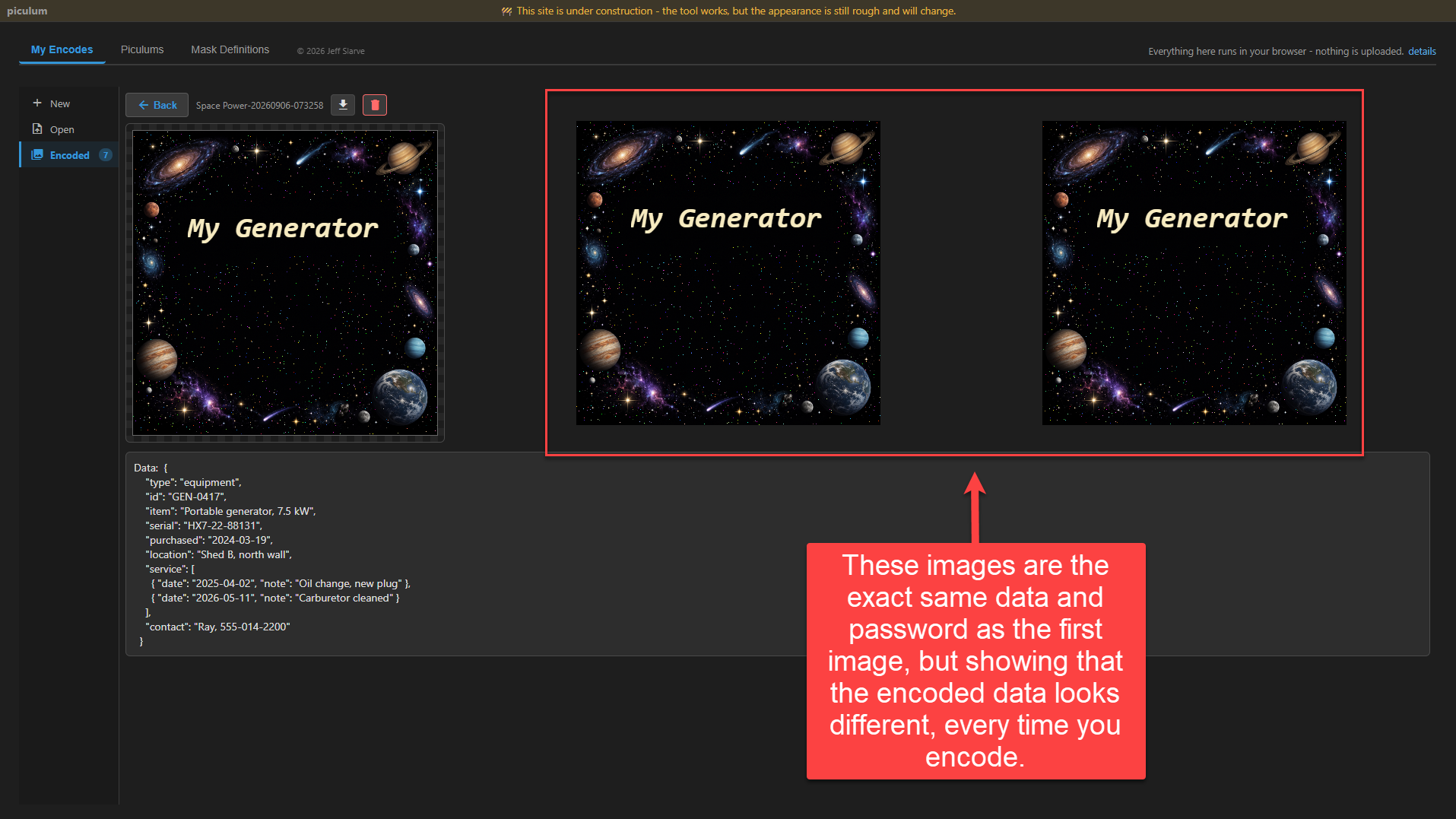
Every encode looks different.
Encode the same data with the same password twice and the pixels differ. The sealed region takes its place in the picture, and it is never the same picture twice.
The field map can travel separately.
Untick one box and the map of where the fields sit is saved as a separate small file. The picture then needs that file and the password to open: something you have and something you know.

And there is more in the workbench than fits on this page: split one region into dozens or hundreds of scattered pieces, auto-populate a picture with regions, pop areas out of the artwork, and other things that are more fun to try than to read about. Open the workbench and paint something.
For developers
The template is a contract. The field definitions travel with the piculum itself, so a program
using the piculum library can
read a template, discover its fields and capacities, fill them, and emit the record, or take a
record and consume it. The codec entry has zero dependencies and runs in browsers and Node;
all encryption runs locally on the caller's machine.
npm install piculum pngjs   # pngjs only needed in Node

import { encodeMessage, decodePng } from 'piculum';
import { installNodePng } from 'piculum/node';

installNodePng(); // once, in Node; browsers need nothing

const { png } = await encodeMessage('hello', 'password', 200, 200);
const text = await decodePng(png.blob, 'password');
The codec never needs a key or an account. For environments that can't run it, there is also a hosted developer API (beta): validate and inspect templates, measure capacity, and seal or open records over HTTPS. Your host image never uploads, and the seal and open endpoints process records and passwords in memory without storing them. Free API keys exist for quotas and abuse control, not billing.